What n8n agents are and how a small business can use them
n8n agents (n8n Agents) are a new way to automate that n8n announced on September 25, 2026: instead of drawing a flow step by step, you describe to the agent what it has to achieve, give it an AI model and the tools it can use, and it decides the steps. For a small business they are most useful for open-ended tasks, the ones that never arrive the same way twice: a new contact, an email with a question, a request that has to be understood before anyone knows what to do with it.
Here we explain what n8n has announced, how it differs from a classic workflow and where we see it making sense. Everything we say about the tool comes from the official announcement, linked at the end.
What n8n is and what it has launched
n8n is a tool for automating processes by connecting programs to each other: email, a spreadsheet, the CRM, WhatsApp, Telegram. It is the core tool behind our AI automations. Until now, the usual approach was to build a workflow: a chain of fixed steps that always runs in the same order.
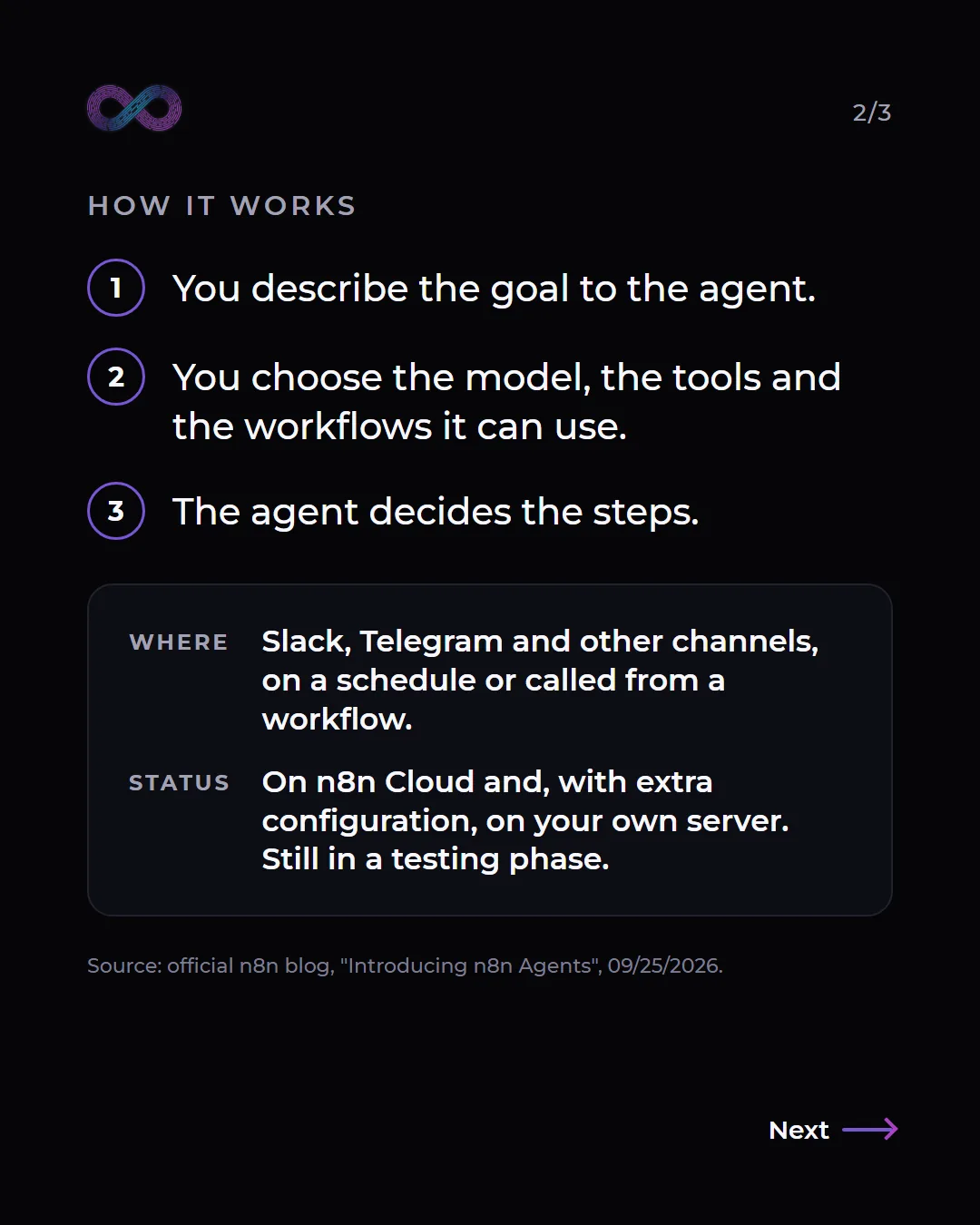
With Agents, n8n adds another kind of building block. According to the announcement, each agent has:
- An AI model, from the provider of your choice.
- Instructions in plain language: what role it plays, what tone it uses and what preferences it must respect.
- Tools: n8n integrations, MCP servers or workflows you have already built.
- Ways to get started: from channels such as Slack, Telegram, Linear or Discord, on a schedule or called from any workflow.
It also keeps a memory of the conversation and a log of every run.
How it differs from a classic workflow
A classic workflow is like a recipe: if an email comes in, it is copied to the spreadsheet, reply B is sent and person C is notified. It works very well when everything arrives the same way. If someone writes something that does not fit any branch, the flow stops or does something it should not. To cover it, you have to anticipate every case, and the flow fills up with conditions until nobody dares to touch it.
An agent works the other way around. You do not give it the recipe: you give it the goal ("classify this message and prepare a reply") and the tools it can use. It reads what has come in, decides which tool it needs and in what order, and adapts the path to each case.
That does not mean letting it do whatever it wants. What interests us most about the announcement is how it splits the work:
- The delicate part stays fixed, inside a workflow that does only one thing. The announcement itself explains it with an example: the agent does not hold the credential; it has a workflow that adds a note and does nothing else. If that workflow is all it can use, that is all it can do.
- The variable part is decided by the agent: understanding what someone is asking for, what kind of message it is and which tool to use.
- The sensitive part waits for a person. A tool can be marked as sensitive, and then the agent stops and asks someone to approve or reject the action before running it.
In other words: the agent brings judgment to what changes every time, and the workflow sets the limits on what must never change.
An example: sorting the contacts that come in
Let us take something that happens in any small business. Messages come in through the website, by email or on WhatsApp. Some ask for a quote, others have a question, one is a customer with a problem and quite a few are advertising. Someone has to read them all, sort them and reply.
With an n8n agent, the work would be split like this:
- The agent reads each message and classifies it: quote, question, support, advertising or other. It pulls out the useful details (who is writing, from which company, what they need) without assuming anything that is not written.
- Saving the contact is a narrow workflow: it adds a row to the contacts spreadsheet and nothing more.
- Preparing the reply is another workflow: it leaves the draft written, without sending it.
- Sending the reply is a sensitive tool: the agent stops and a person approves or rejects it.
The heavy part, reading and sorting, is no longer manual. And the decision about what leaves the business stays in the hands of a person. In the agent's instructions, you can also forbid what it must never do on its own, such as giving prices or committing to deadlines.
What to keep in mind before using it
- It is in a testing phase. n8n presents it as a preview and recommends testing before publishing anything. We would not yet put it in front of customers without a person reviewing.
- Where it works. It is available on n8n Cloud and, according to the announcement, also on your own server with some extra configuration.
- An agent does not replace a good workflow. If a task always arrives the same way, a classic workflow is more predictable and easier to review. The agent makes sense where something has to be understood before acting.
- The instructions matter as much as the tool. What it can do, what it cannot do and in what tone are business decisions, not technical ones.
We are testing it on a real case
We are testing it on the case in this article: the first filter for the contacts that reach us. We do not have results yet, so we will not get ahead of ourselves. When we finish the test, we will share what it classified well, where it got things wrong and what had to be adjusted.
If your business has a similar task, one that repeats but never arrives the same way, we can look at it with you through the contact page.
Frequently asked questions
What is the difference between an n8n agent and a workflow?
A workflow always follows the same steps in the same order. An agent receives a goal and some tools and decides the steps based on what comes in. They can be combined: the agent can use workflows as tools, and a workflow can call an agent.
Can an n8n agent send emails or change data without permission?
It can only use the tools you give it. If an action is delicate, it goes inside a workflow that does only that and is marked as sensitive, so the agent asks a person for approval before running it.
Can n8n Agents run on your own server?
According to the n8n announcement, yes, with some extra configuration. It is also available on n8n Cloud. In both cases it is in a testing phase.
Is it useful for a small business?
Yes, perhaps more than for a large one, because in a small business one person reads, sorts and replies to the messages. The sensible approach is to start with one specific task, with a person approving what goes out.